Bounded-memory streaming
Input and output limits are enforced while data is processed, before oversized content can overwhelm memory.
Private by design
Private, offline ZIP extraction for Firefox and Chrome, entirely in your browser. Fast enough for everyday work, hardened for the files you do not trust.
The privacy promise
Your files never leave your device; no uploads, no accounts, no telemetry; all processing local.
This rests first on what you can audit: the extension declares zero permissions, and neither its source nor its built bundle contains network code (no fetch, XMLHttpRequest, WebSocket, sendBeacon, EventSource, or telemetry; a CI check greps the built extension for those primitives and fails if any appear). A strict no-egress content-security policy (connect-src 'none') is defense in depth; because a content-security policy does not restrict top-level navigation, it is not the sole line of defense, and source review confirms the extension navigates nowhere external. The empty permission list and the CSP are checked in CI against the built manifest. See the peer review and technical teardown.
How privacy is enforced
Unzip ships with an empty permission list and a strict no-egress content-security policy. Both are checked in CI against the built manifest on every change.
Declared permissions
"permissions": []Extension-page content-security policy
default-src 'none'; script-src 'self'; style-src 'self'; img-src 'self' data: blob:; connect-src 'none'; form-action 'none'; base-uri 'none'; object-src 'none'The guarantee rests first on zero permissions and code with no network calls (neither the source nor the built bundle contains fetch, XMLHttpRequest, or WebSocket, enforced by a CI grep of the built extension); connect-src 'none' is defense in depth that blocks connections from the extension page even if a bug were introduced. A CSP does not cover top-level navigation, so it is not relied on alone, and source review confirms the extension opens no external pages. Saving a file uses your browser's standard download from an in-page blob, so no downloads permission is requested. See the peer review and technical teardown.
Built for hostile archives
Every layer is designed to keep extraction predictable, responsive, and safely on your device.
Input and output limits are enforced while data is processed, before oversized content can overwhelm memory.
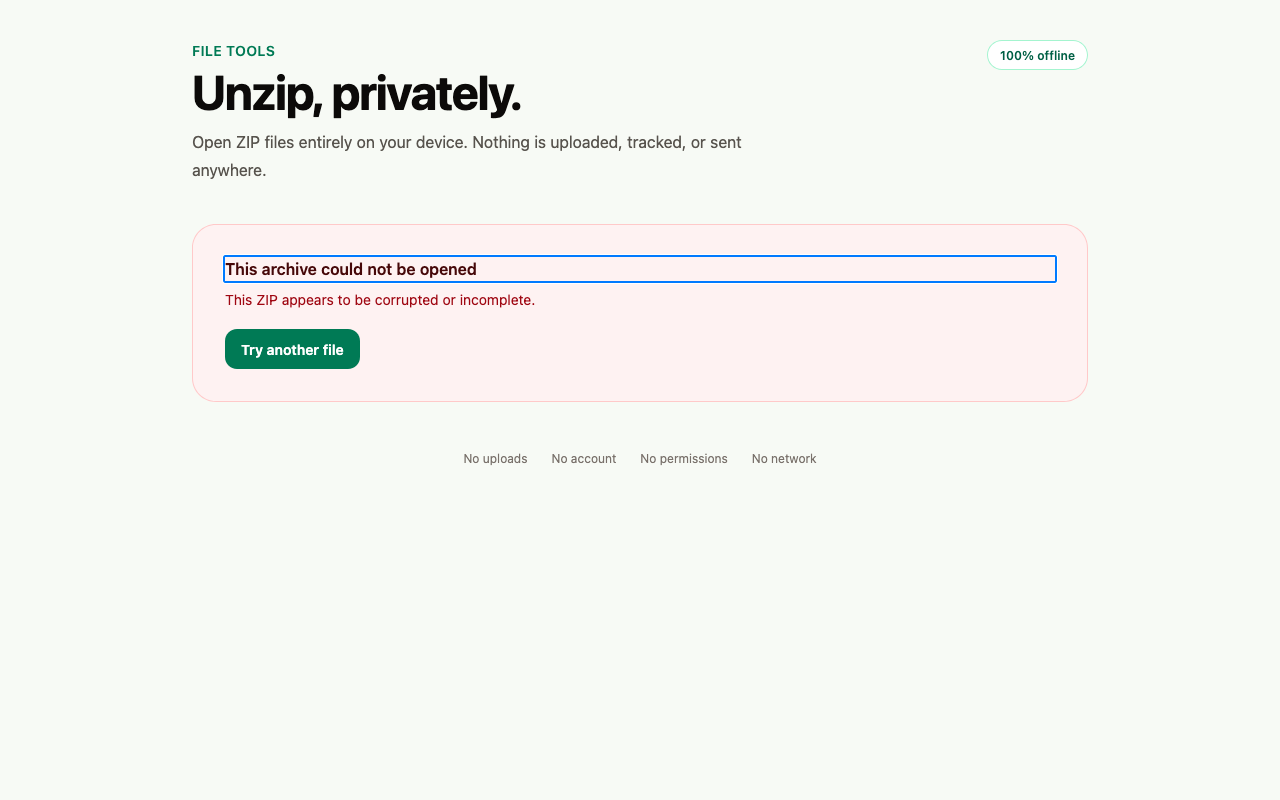
The central directory is authoritative. Contradictions and malformed archives stop cleanly.
Traversal, absolute paths, reserved names, control characters, and unsafe file types are rejected.
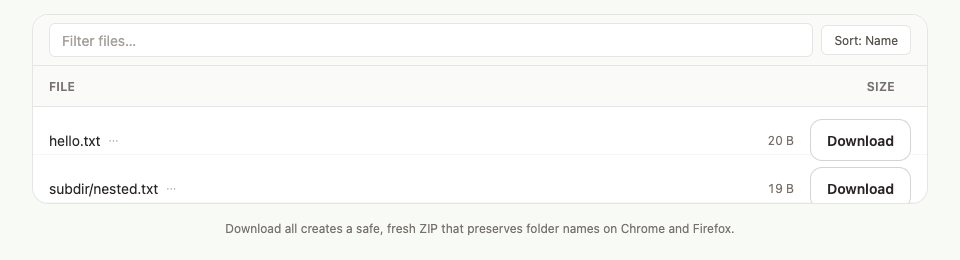
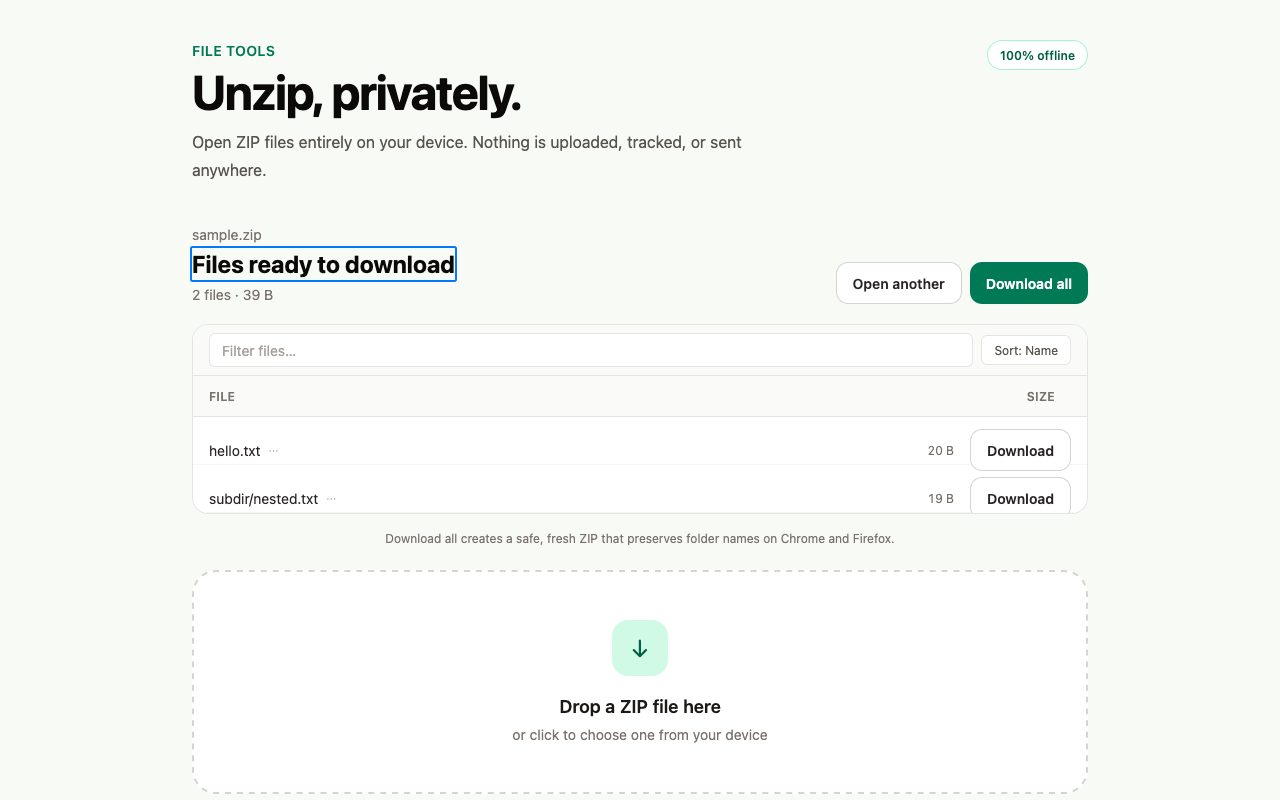
Browse large archives without turning thousands of entries into a sluggish page. Filter and sort the tree, then download only what you need.
Save one file directly or download everything while preserving safe folder paths.
Cancel active work immediately. New drops cannot race or corrupt an operation in progress.
Keyboard-first controls, visible focus, semantic structure, and carefully checked contrast.
The production extension flow is exercised in Firefox, including worker loading, archive handling, and the interface users actually see.
The same source ships to Firefox and Chrome, keeping behavior aligned across browsers.
Unzip requests no install-time permissions. Saving a file uses your browser's standard download, so no download permission is requested.
The complete flow
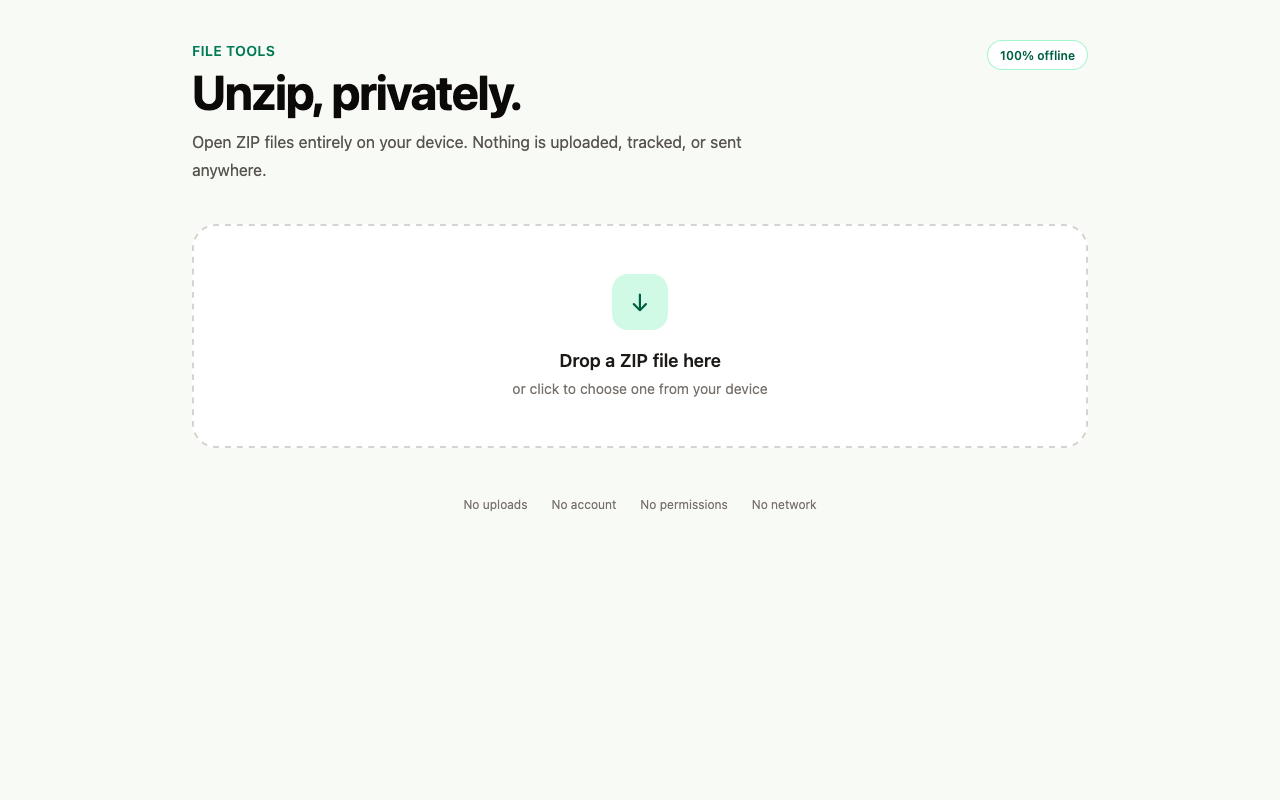
One focused screen from first drop to final download, with clear recovery when an archive is not safe to open.
See it in Firefox
A real run of the extension, captured in Firefox.
The recording shows Unzip's start screen with a drop zone to open a ZIP archive. An archive is opened and its contents list in a sortable, filterable file tree. Files download individually or all at once, with all processing staying on the device.
Install Unzip
Signed store listings are on the way. Until then, download the latest release build and load it unpacked: in Chrome via chrome://extensions (Developer mode, then Load unpacked), or in Firefox via about:debugging (Load Temporary Add-on). A temporary add-on is cleared when Firefox restarts.