YouTube, just the sound.
A Firefox add-on that plays YouTube and YouTube Music as audio only, so your battery and mobile data can last a lot longer. No account, no sign-in, nothing to configure to get started.
- Free and open source
- Firefox 128 and up
- Runs while you are signed out
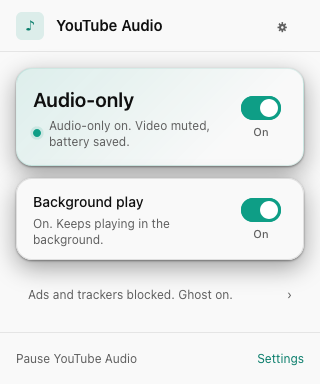
- Longer battery
- Less mobile data
- Plays in the background
- No ads, no tracking
Play a three hour mix in a tab you never look at, and normally YouTube keeps shovelling video down your connection the whole time. Install this, and that stops. The picture goes, the sound stays.
Let YouTube be the radio it always wanted to be.
On the moment you install it
Audio-only, background play, and ad blocking are on out of the box. There is nothing to set up and nothing to sign into. Segment skipping is available when you choose to turn it on. Open a video and the picture drops away, the sound keeps going, and your laptop stops decoding video it will never show.
When you do want the picture back, one tap in the player brings it back at the exact spot you were listening, playing or paused.
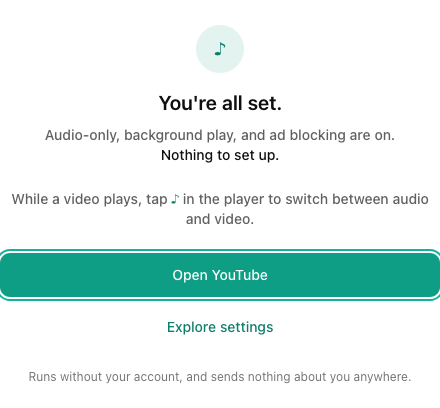
No ads, no tracking
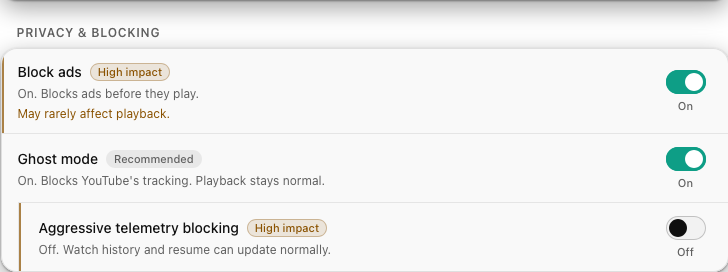
Ads and tracking pings get blocked before they leave your browser, quietly, without you asking. Ghost mode drops YouTube's telemetry, and the ad blocker strips ad slots out of the player response so the native player has nothing to play.
Both fail open. If anything ever looks off, playback falls straight back to normal YouTube. No broken player, ever.
Skip the boring bits
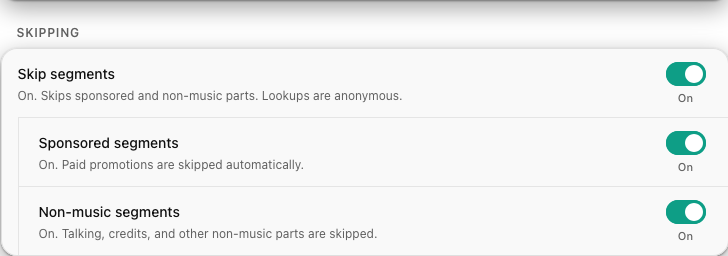
Auto-skip glides past sponsor reads and off-topic intros. It is community-powered: it uses the crowd-sourced SponsorBlock database, so it works on the videos other people have already marked.
The clever part is the privacy. Only a tiny four-character hash of the video ever leaves your machine to look segments up, a hash shared by thousands of other videos, so nobody learns what you are watching.
Leveled up for listening
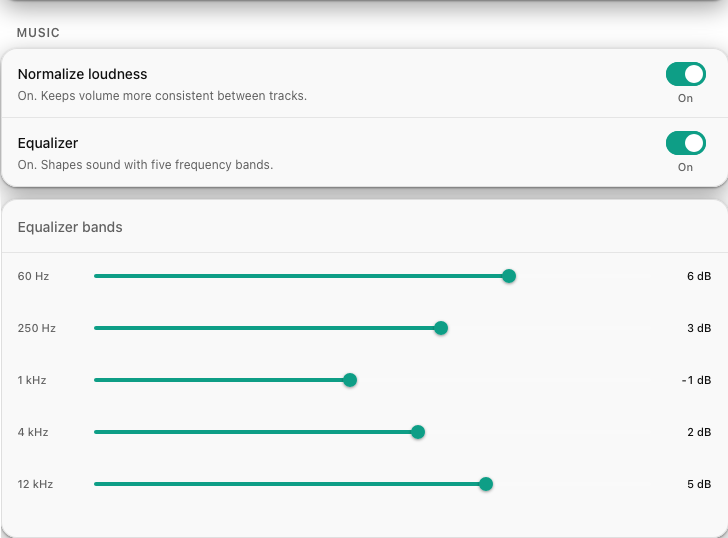
Loudness normalization evens out the loud-and-quiet track problem, so you are not forever reaching for the volume knob between songs. A five-band equalizer lets you shape the sound to taste: more bass, brighter highs, whatever you like.
Both are one click away in settings, and they only touch YouTube Music.
The popup tells you the truth
The status you see is the real state of the current video, pulled from what actually happened on the page, not from a setting you flipped once. When a video cannot play as audio only, the popup says so instead of showing a green light that is lying.
Audio on
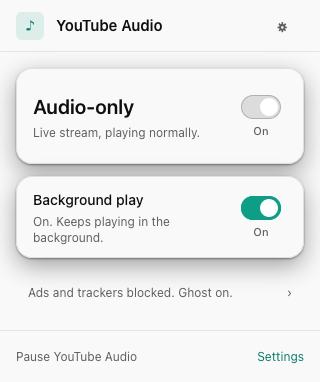
Playing normally
No magic, and no server of ours
The add-on asks YouTube's own player for a plain audio stream, without your cookies, and quietly points the page's video element at it. Everything else is a small layer that gets out of the way the moment it cannot help.
- 1
Ask YouTube for audio
A quiet, cookie-free request for a direct audio stream, the moment you open a video.
- 2
Swap the page player
The native player gets pointed at that stream. Same controls, same shortcuts, nothing rebuilt.
- 3
Video download stops
YouTube stops sending the video. The sound keeps playing, and your battery and data can both last longer.
Everything else it does
-
Background and lock-screen play
Lock the phone or switch tabs and the audio carries on, with your usual OS and lock-screen media controls.
-
Save a track
Download the current audio as a single, tidy .m4a file that plays just about anywhere. Off until you turn it on.
-
A tidier YouTube
Optionally hide Shorts, recommendations, or comments, cap the video quality, or switch off autoplay-next.
-
Made for your phone
Firefox for Android is a first-class target, not an afterthought, with touch-friendly controls and full feature parity.
-
Collects nothing about you
No analytics, no phone-home, and no server of ours in the loop. Turn on skipping and only a short anonymized hash leaves your browser.
-
Honest diagnostics
If something breaks, a built-in local log gives you a readable record to check word for word. Nothing personal is in it.
The whole privacy story, in plain terms
There is no account, no server of ours, and no analytics. Here is exactly what that means.
Read the full privacy page- Logged out, always. Everything works while signed out, on purpose. The extension never attaches your YouTube login.
- No cookies on the wire. Every request it makes to fetch your audio goes out without them.
- No server of ours. There is no account and no analytics, so there is nothing to leak and nothing to sell.
- Falls back gracefully. Anything it cannot play as audio only just hands you back to normal YouTube.
Give it a spin
Put your headphones on and let that playlist run without cooking your battery. The essentials are on out of the box. The rest waits until you ask.
Firefox 128 and up, on desktop and Android.